Best LinkedIn Automation Tools 2026 - Top 6 Ranked (Safest & Cheapest)
Honest comparison of the 6 best LinkedIn automation tools in 2026, tested hands-on with real campaigns. Ranked by ban risk and results, with full pricing, the free plans that actually exist, and where AI SDRs fit.
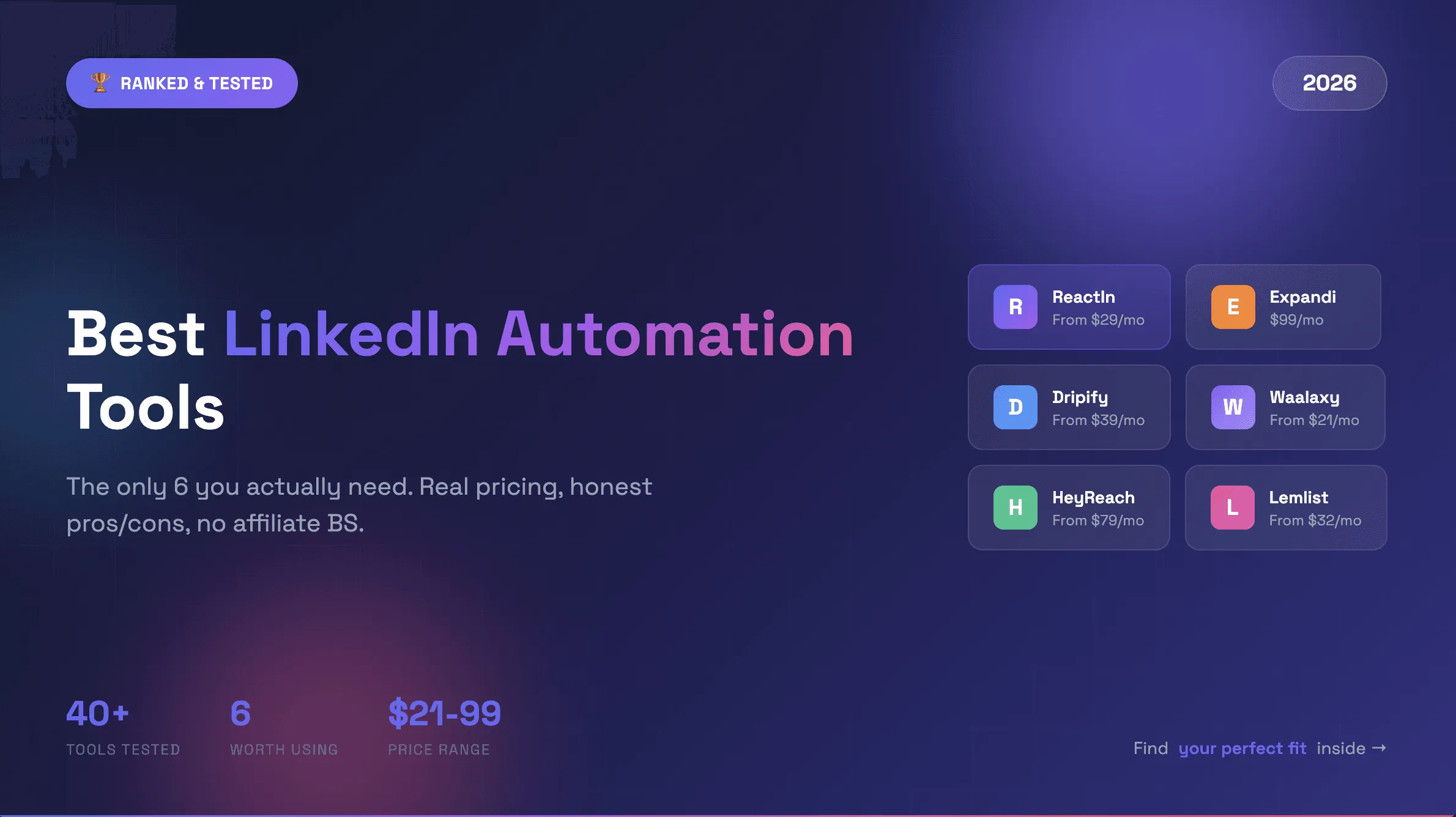
I've tested over a dozen LinkedIn automation tools in the past 8 years. Before that? Using homemade Python scripts. Most of them? Garbage. Overhyped features. Hidden costs. Lack of connectors. Accounts getting banned. This is my honest, hands-on review of the best linkedin automation tools in 2025 and 2026.
But some actually work. This complete comparison covers the best LinkedIn automation tools 2026 has to offer - including the best tools for LinkedIn DMs, lead nurturing, and safe outreach automation. Not 35 tools. Not a generic listicle with affiliate links. Just 6 tools. Each one best for a specific use case.
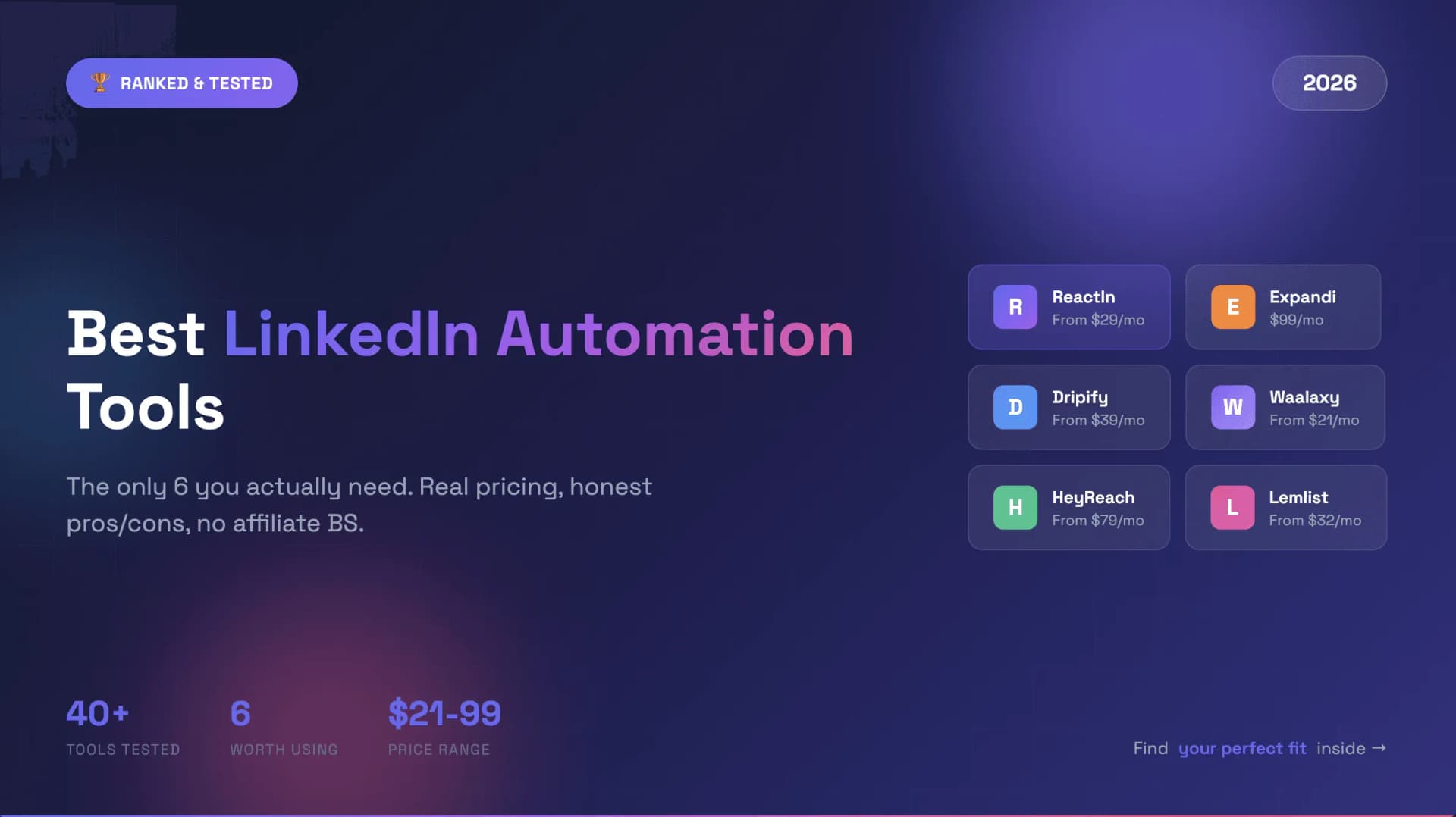
TL;DR: Best LinkedIn Automation Tools 2026 Comparison
Short on time? Here's the quick linkedin automation tools comparison for 2026. Scroll down for detailed reviews of each tool.
| Tool | Best For | Starting Price | Key Strength |
|---|---|---|---|
| ReactIn | Intent-based outreach | $29/mo | 40-60% reply rates from behavioral signals |
| Expandi | Volume automation | $99/mo | Most established safety features |
| Dripify | Budget-friendly teams | $39/mo | Clean UI, affordable pricing |
| Waalaxy | Multichannel beginners | €19/mo | LinkedIn + email in one tool |
| HeyReach | Agencies at scale | $79/mo | Unlimited senders for fixed cost |
| Lemlist | Email-first multichannel | $55/mo | Best email deliverability + LinkedIn |
Quick Answers: Safest, Cheapest and Free LinkedIn Automation Tools
The short version, for the questions people actually type into Google about LinkedIn automation tools in 2026:
| Question | Short answer |
|---|---|
| What is the safest LinkedIn automation tool in 2026? | ReactIn and Expandi. Both run in the cloud with gradual warm-up and randomised delays, and Expandi adds a dedicated IP. |
| What is the cheapest LinkedIn automation tool? | Waalaxy Pro at €19/user/mo on yearly billing, then Dripify at $39/mo on annual billing. |
| Are there free LinkedIn automation tools? | None on this list. Waalaxy now offers a 14-day trial instead of a free plan, and everything else is a 7- to 14-day trial too. |
| Is there LinkedIn automation under $20/month? | Waalaxy Pro at €19/user/mo on yearly billing comes closest. Otherwise only per-seat agency pricing gets there (ReactIn Agency, ~$20/sender). |
| Best tool for LinkedIn DMs and inbox management? | ReactIn Growth for one inbox, HeyReach for many inboxes across client accounts. |
| Best tool for agencies with 10+ accounts? | HeyReach for sender rotation, ReactIn Agency for cheaper per-seat pricing. |
| Best LinkedIn + email in one tool? | Lemlist if email leads the sequence, Waalaxy if you want the cheapest way to run both. |
| Do these tools work in the United States? | Yes - all six ship the same plans and pricing in the US, Europe and Asia. |
How I Evaluated These Tools
I tested each tool over 2-4 weeks with real outreach campaigns. Here's what I looked at:
- Safety (is it a safe LinkedIn automation tool?): Did it get my account flagged or banned? Cloud-based vs. Chrome extension? IP management? In 2026, safe linkedin automation tools are non-negotiable.
- Results: What reply rates did I actually get? How many meetings booked?
- Pricing: What does it really cost? Hidden fees, required add-ons, annual vs. monthly pricing traps?
- Ease of use: How long to get the first campaign running? Learning curve?
- Support: How fast do they respond? Do they actually help or send canned responses?
If you want to understand the fundamentals of safe LinkedIn automation first, read our guide on automating connection requests safely.
Prospecting in French? The connection-requests guide also exists in French, invitation LinkedIn automatique : automatiser vos demandes de connexion, and so does the ReactIn home page.
#1 ReactIn: Best for Intent-Based Automation
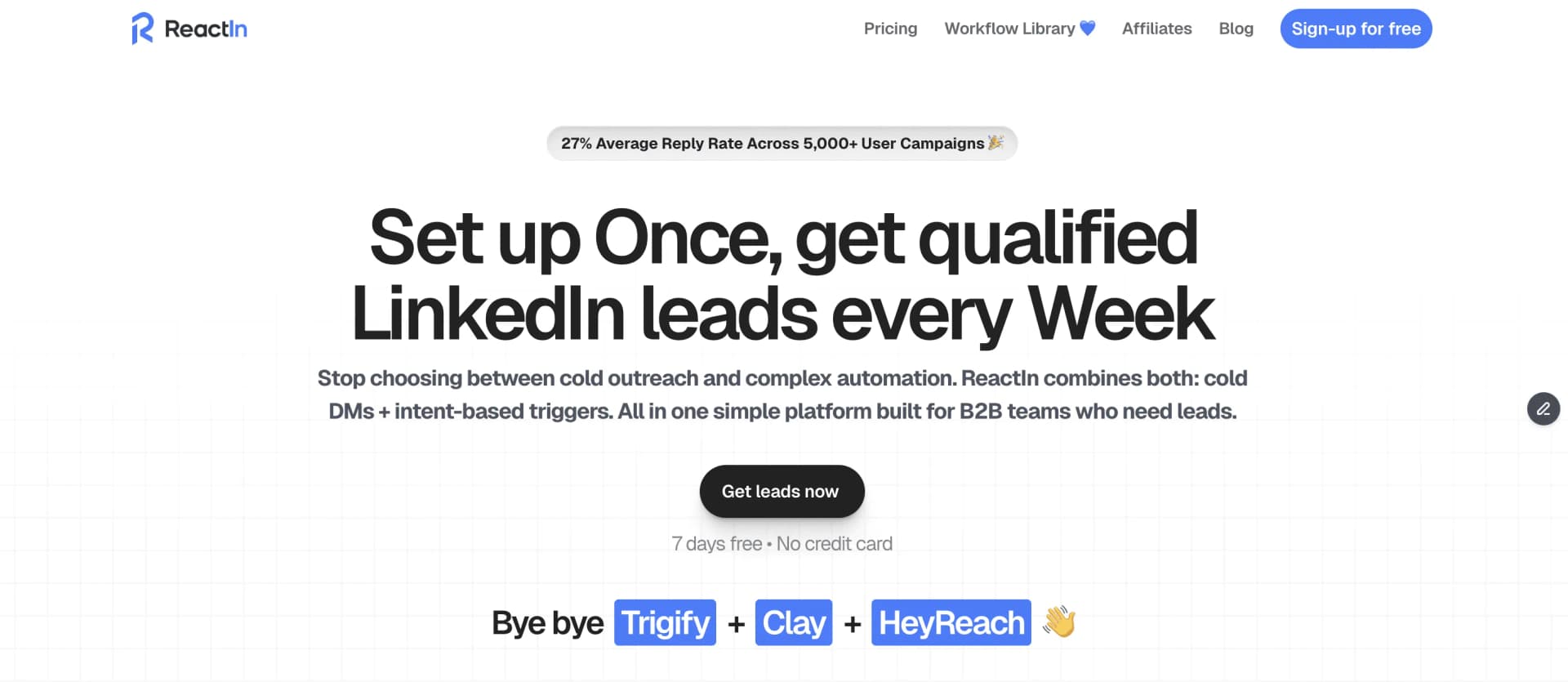
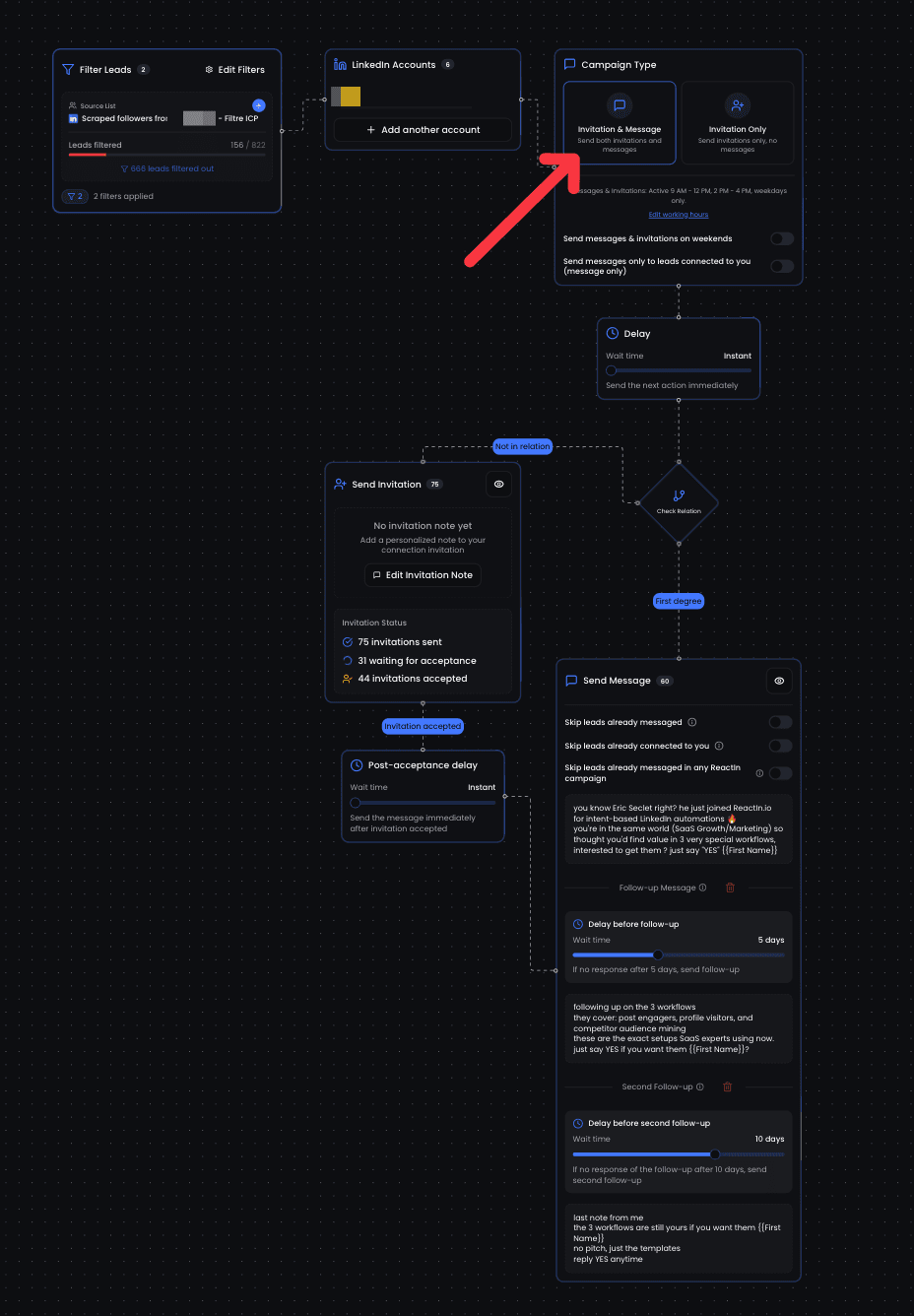
Most LinkedIn tools ask: "Who do you want to target?" ReactIn asks a different question: "Who is already interested in you?"
That shift changes everything. Instead of blasting cold messages to strangers, you're reaching out to people who already showed intent - they visited your profile, liked your post, engaged with a competitor, or filled out a form.
To see the whole workflow, from the 20+ intent signals ReactIn tracks to the unified inbox where replies land, take the tour of the ReactIn LinkedIn prospecting platform.
What Makes ReactIn the Best Tool for LinkedIn DMs & Lead Nurturing
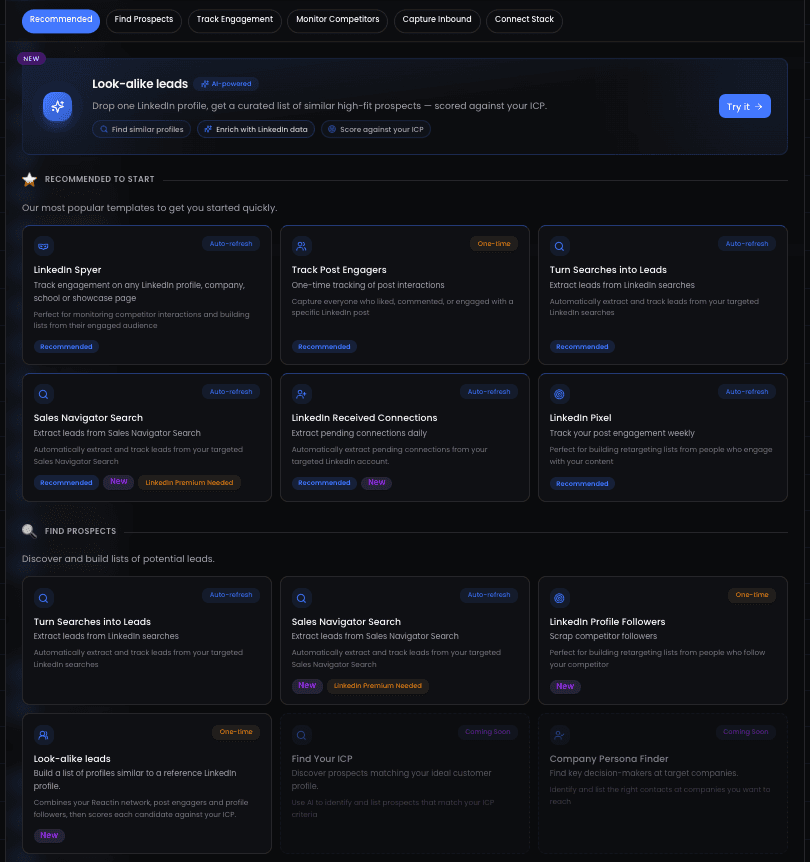
ReactIn is the best lead nurturing automation tool for LinkedIn in 2026. Its core concept is SmartLists - dynamic lists that automatically update based on behavioral signals:
- Spyer: Monitor any LinkedIn profile's network activity (competitors, influencers, partners)
- Pixel: Track visitors from your website, landing pages, or Calendly bookings
- Profile Visitors: Capture everyone who views your LinkedIn profile
- Cal.com/Tally.so integrations: Auto-connect with people who book calls or fill forms
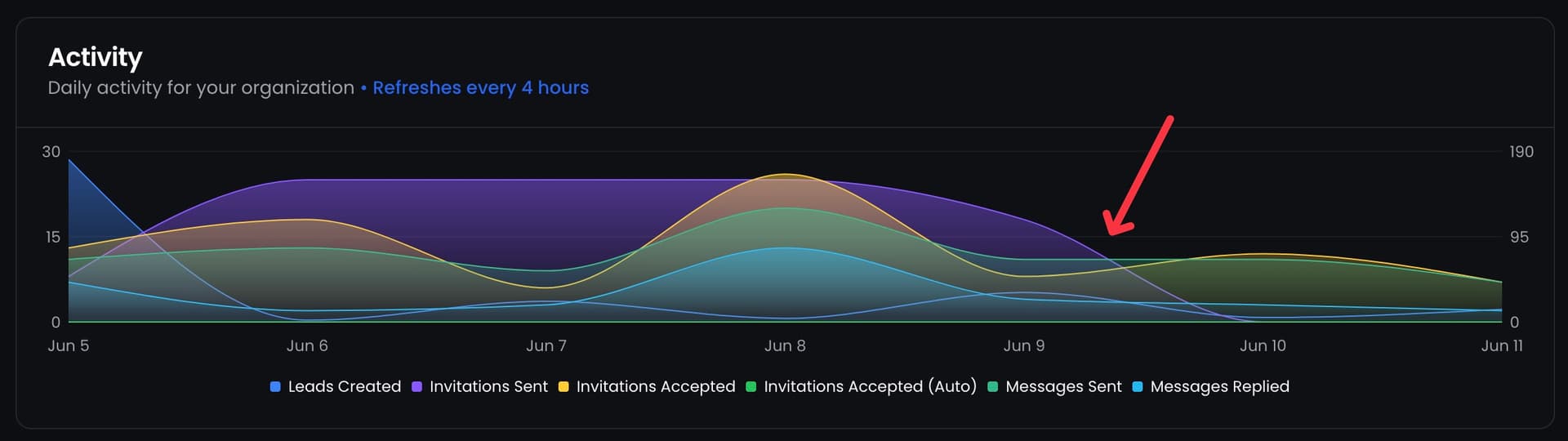
The result? Reply rates of 20-30% on average, with top campaigns hitting 40-60%. Compare that to the typical 5-15% you get with cold outreach tools.
Pricing
| Plan | Price | What You Get |
|---|---|---|
| Basic | $29/mo | Signals, SmartLists, enrichment, no outreach |
| Growth | $69/mo | + invitations, DMs, follow-ups, sender rotation, lead management |
| Agency | $999/mo | Up to 50 senders (~$20/sender) |
Who Should Use ReactIn
Founders, sales teams, and agencies who want higher reply rates from smaller, warmer audiences instead of blasting thousands of cold messages.
Pros:
- Highest reply rates of any tool tested (20-60%)
- Dynamic SmartLists update automatically - no manual list building
- Native Cal.com and Tally.so integrations for lead capture
- Best agency pricing at ~$20/sender on Agency plan
Cons:
- LinkedIn-only - no native email channel
- Newer platform with a smaller community than established players
- Requires an active content strategy or competitor presence to generate signals
Best for: Teams who want quality over quantity and are willing to invest in content or competitor monitoring to fuel intent-based outreach.
Don't just take my word for it. In his tier list of LinkedIn scraping tools, YouTube creator Louis Deslus reviews ReactIn in a chapter titled "this French tool is gaining ground". The video is in French, and the player below starts at that chapter (19:57).
#2 Expandi: Best for Volume Automation
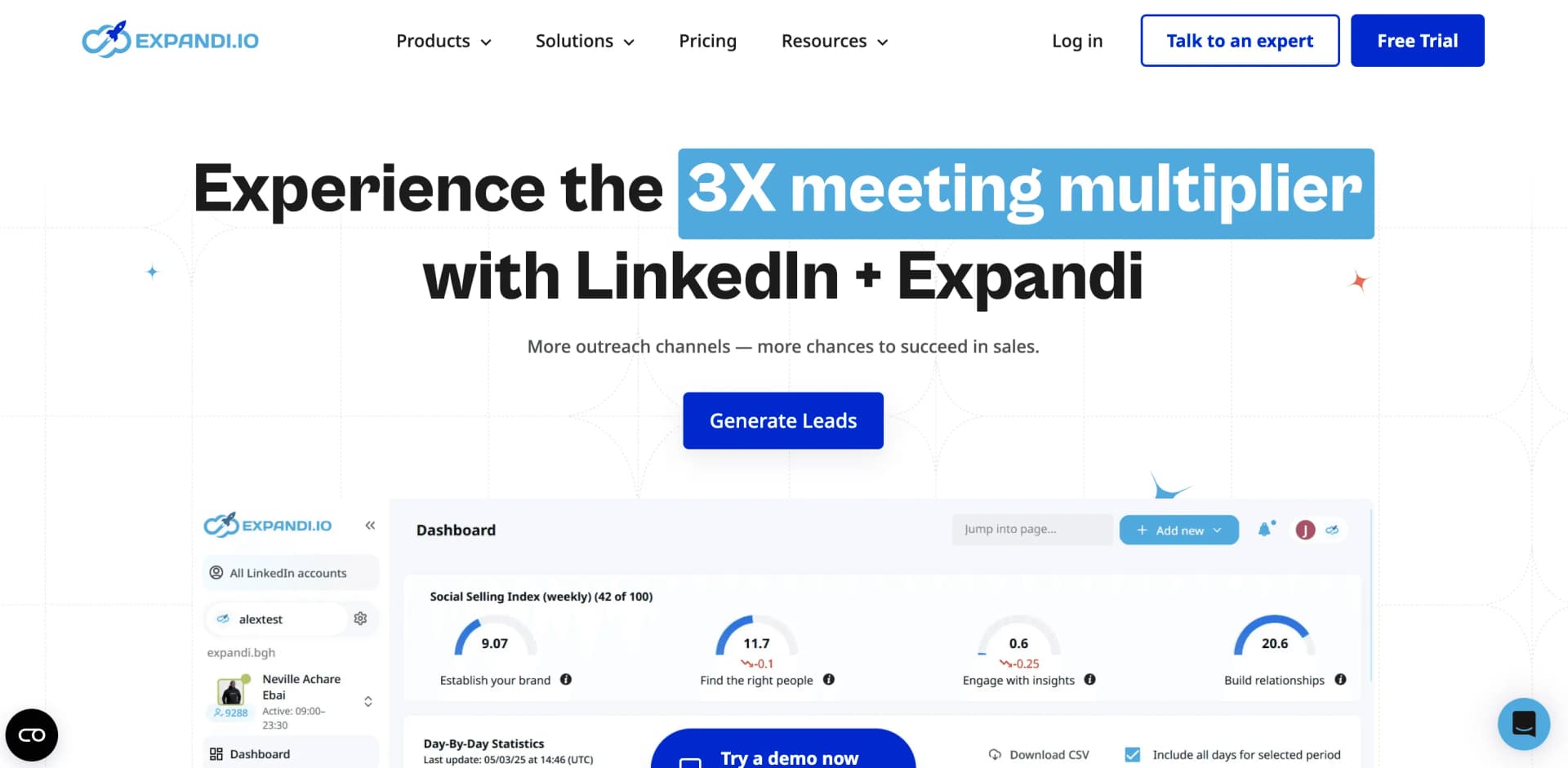
Expandi has been around since 2019 and is one of the most established LinkedIn automation tools. It's a volume play - send as many connection requests and follow-ups as safely possible.
Where Expandi excels is safety features. Cloud-based execution, dedicated IP address, smart warmup sequences, and human-like delays between actions.
What Expandi Does Well
Expandi covers all the standard LinkedIn automation features with solid execution:
- All LinkedIn actions: connection requests, messages, profile visits, endorsements, post likes
- A/B testing on messages and connection notes
- Hyperise integration for personalized images in messages
- Smart warmup that gradually increases daily activity limits
Pricing
| Plan | Price | What You Get |
|---|---|---|
| Monthly | $99/account | All features included, dedicated IP, cloud-based |
| Annual | $79/account | Same features, 20% discount |
Who Should Use Expandi
Sales teams and SDRs who need proven, reliable volume automation with the best safety track record in the industry.
Pros:
- Most established safety features (dedicated IP, smart warmup, human-like delays)
- All LinkedIn actions included in one plan - no upsells
- A/B testing built in for optimizing campaigns
- Responsive support team with fast resolution times
Cons:
- Expensive for teams ($99/account adds up fast with 5+ users)
- Lower reply rates than intent-based approaches (volume game = more noise)
- No native email integration - LinkedIn only
- Hyperise personalized images cost extra ($69/mo+)
Best for: Individual SDRs or small teams with budget who need reliable, safe volume automation on LinkedIn.
#3 Dripify: Best Budget-Friendly Option
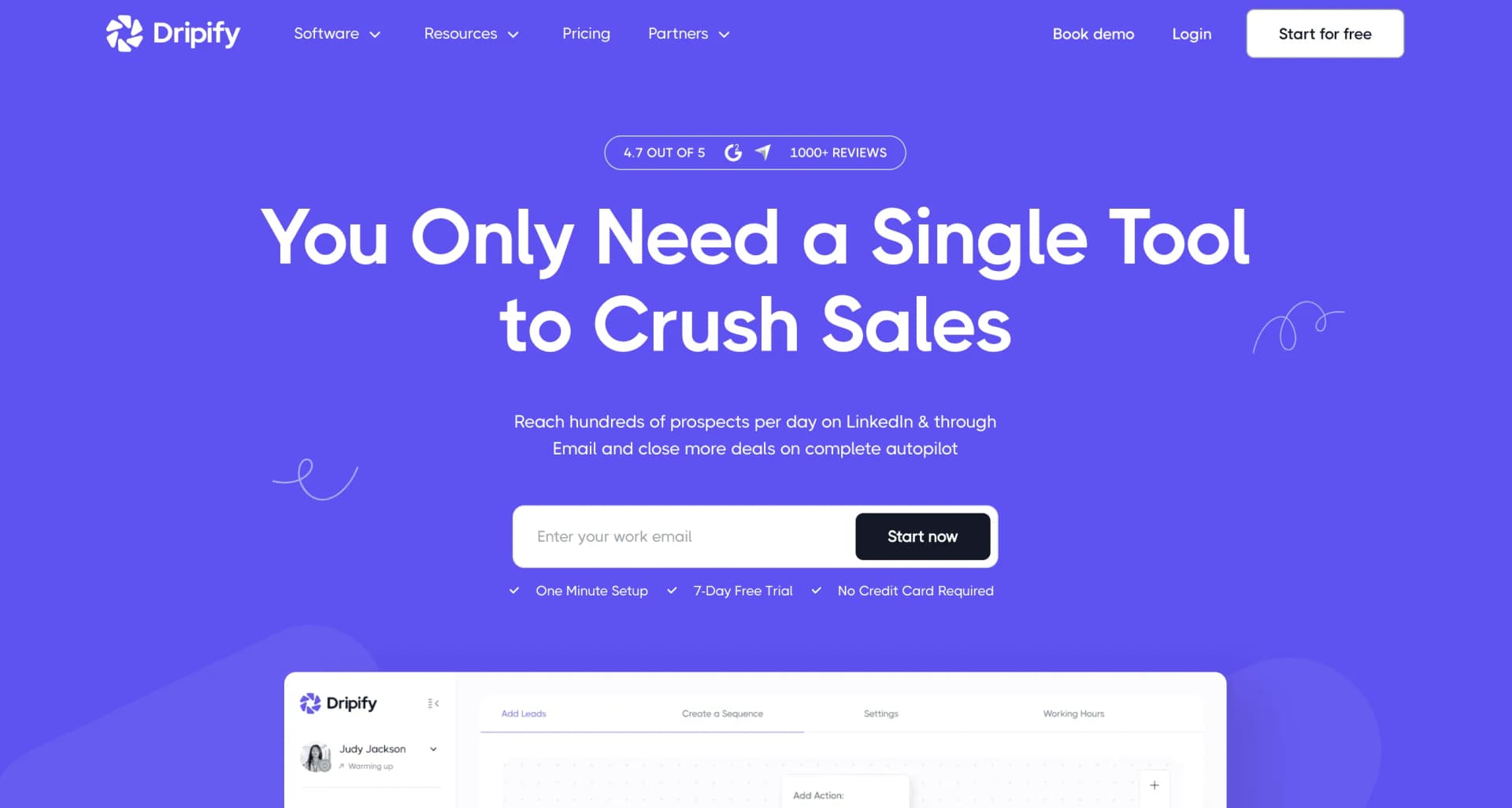
Dripify hits the sweet spot: affordable enough for freelancers and small teams, capable enough to actually get results.
It's not the most powerful tool on this list, but it does the basics well at a fair price. Visual campaign builder, cloud-based execution, smart inbox, and team management features.
What Dripify Does Well
Dripify focuses on simplicity and value:
- Visual drag-and-drop campaign builder with clear sequence flows
- Cloud-based execution - runs 24/7 without your browser
- Built-in smart inbox for managing LinkedIn conversations
- Team management features with analytics per team member
Pricing
| Plan | Monthly | Annual |
|---|---|---|
| Basic | $59/mo | $39/mo |
| Pro | $79/mo | $59/mo |
| Advanced | $99/mo | $79/mo |
Who Should Use Dripify
Freelancers, solopreneurs, and small sales teams who want LinkedIn automation without breaking the bank.
Pros:
- Best value for money - solid features at the lowest price tier
- Clean, intuitive UI that's easy to learn
- Good campaign analytics and reporting
- Responsive customer support team
Cons:
- Basic plan is very limited (1 campaign only)
- No email integration - LinkedIn only
- Fewer advanced features than Expandi or ReactIn
- Occasional bugs and sync issues reported by users
Best for: Budget-conscious teams who need reliable LinkedIn automation without premium pricing.
#4 Waalaxy: Best for Multichannel Beginners
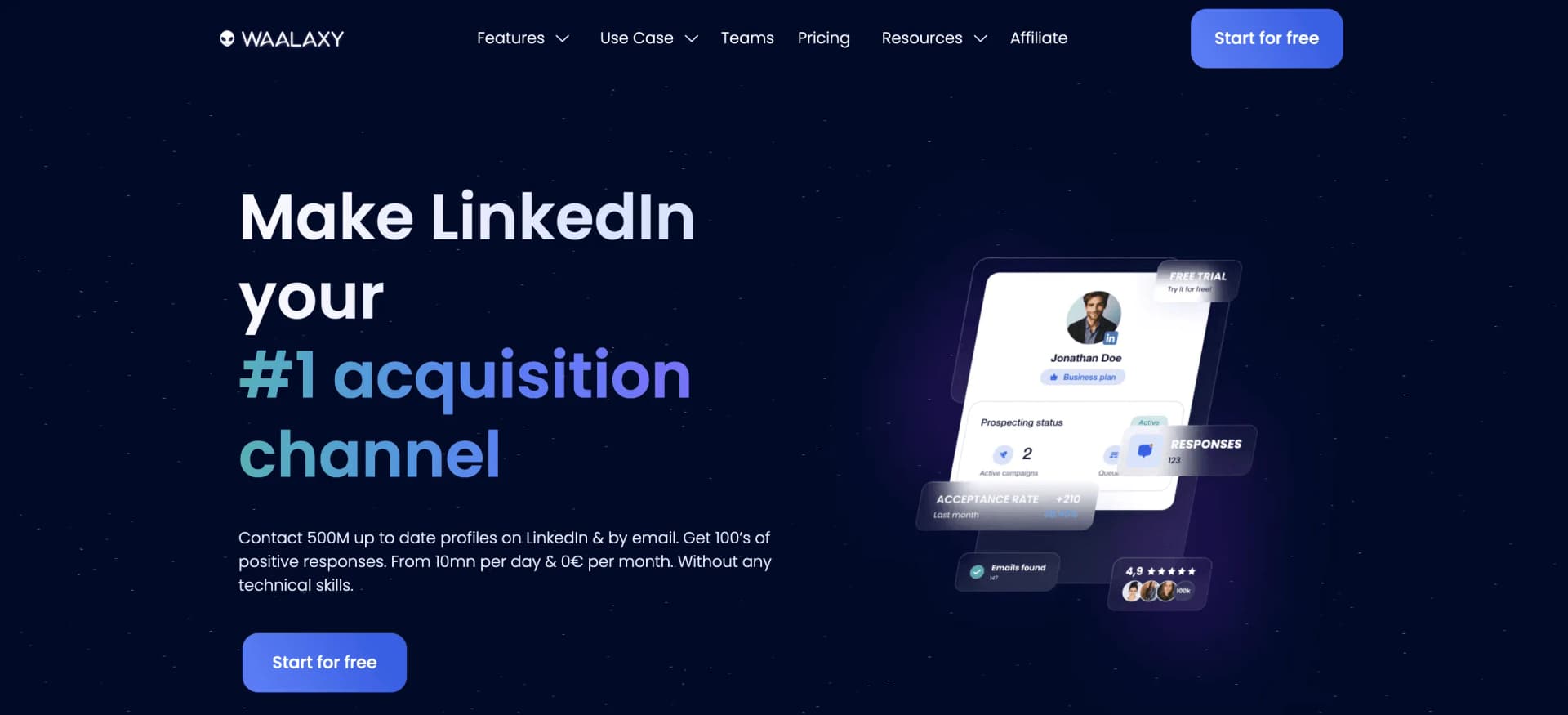
Waalaxy is the easiest LinkedIn automation tool to start with. It combines LinkedIn and email outreach in one platform, has 99+ pre-built campaign templates, and offers a 14-day free trial on every plan.
The selling point is true multichannel - you can build sequences that alternate between LinkedIn actions and email follow-ups without needing a separate email tool.
What Waalaxy Does Well
Waalaxy makes it easy to get started with multichannel outreach:
- LinkedIn + email combined in one sequence builder
- 99+ pre-built campaign templates for different industries and use cases
- Built-in email finder to discover professional emails
- Easiest learning curve of any tool on this list
Pricing
| Plan | Price (yearly billing) | Invites/month |
|---|---|---|
| Free trial | €0 for 14 days | Any plan |
| Pro | €19/user/mo | 300 |
| Advanced | €49/user/mo | 800 |
| Business | €69/user/mo | 800, plus email |
Who Should Use Waalaxy
Beginners and small teams who want LinkedIn + email in one tool without a steep learning curve.
Pros:
- True multichannel (LinkedIn + email) in one tool
- 14-day free trial on every plan
- Easiest learning curve - first campaign in under 15 minutes
- 99+ campaign templates to get started quickly
Cons:
- Pro caps invitations at 300 a month
- Inbox is a paid add-on on top of your plan
- Limited customization for advanced users
- Some users report bugs and slow performance
Best for: Beginners who want the simplest path to multichannel outreach without juggling multiple tools.
#5 HeyReach: Best for Agencies at Scale
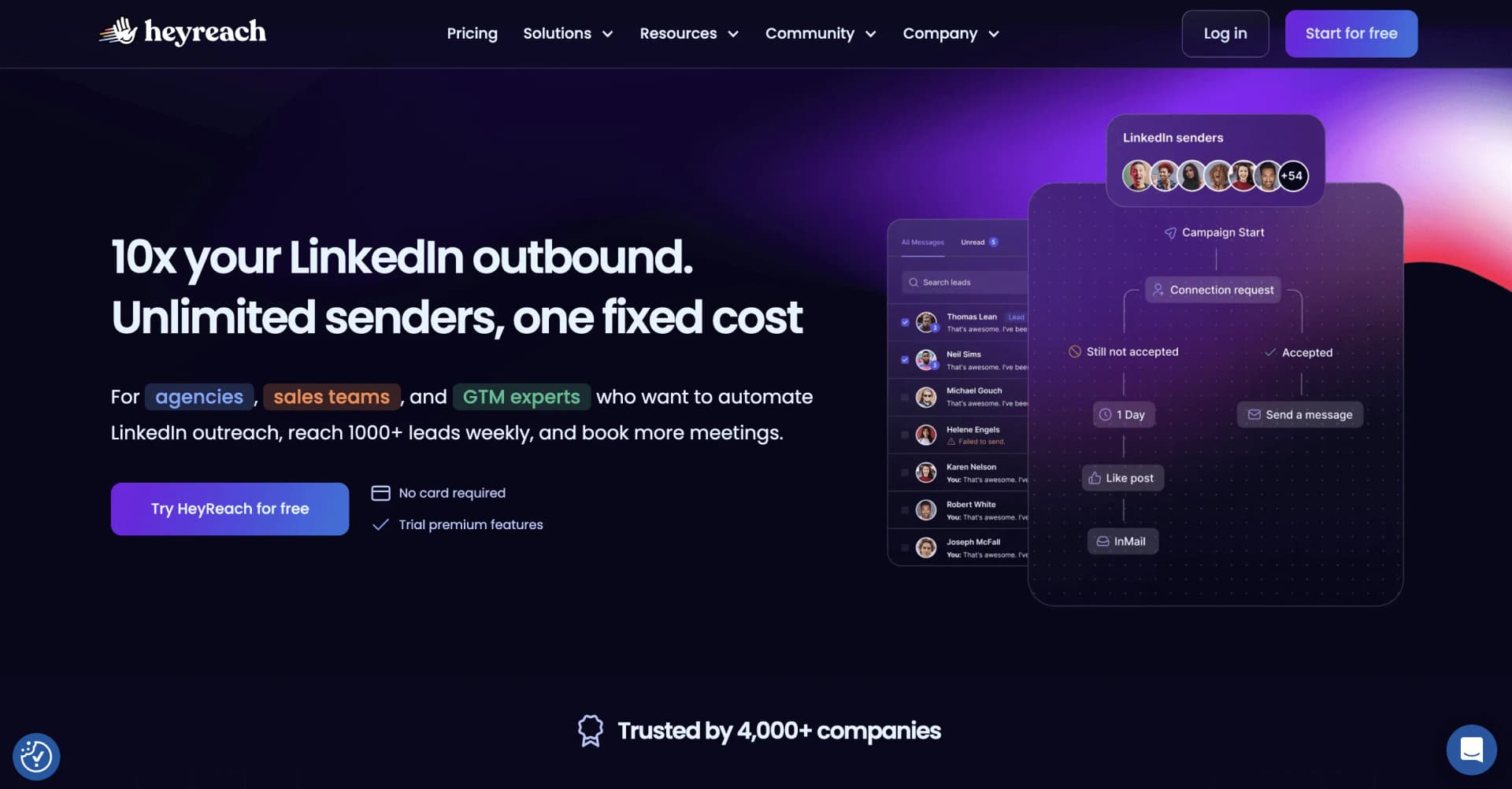
HeyReach was built specifically for agencies managing dozens or hundreds of LinkedIn accounts. If you're managing outreach for multiple clients, this is where it shines.
The killer feature: multi-account sender rotation. Spread your outreach across multiple LinkedIn accounts automatically, reducing the risk on any single account while increasing total volume.
What HeyReach Does Well
HeyReach is purpose-built for scale:
- Multi-account rotation: distribute campaigns across multiple LinkedIn senders
- Unified inbox: manage all account conversations in one place
- White-label options for agency branding
- GTM integrations with HubSpot, Salesforce, Pipedrive, and Slack
Pricing
| Plan | Price | What You Get |
|---|---|---|
| Growth | $79/mo | 1 sender account, unified inbox, API, 100 enrichment credits per sender |
| Agency | $999/mo | 25 sender accounts, whitelabel, done-for-you onboarding |
| Unlimited | $2,999/mo | Unlimited senders, multi-brand whitelabels, done-for-you migration |
Growth is billed per sender, so the bill climbs with every account you add. Our HeyReach pricing breakdown and cheaper alternatives shows how to work out what HeyReach really costs per reply, and which tools do the same job for less.
Who Should Use HeyReach
Lead gen agencies and large sales teams who manage 10+ LinkedIn accounts and need centralized control.
Pros:
- Predictable per-account pricing at scale, with unlimited senders on the top plan
- Multi-account sender rotation reduces risk per account
- Unified inbox for managing all accounts in one place
- Strong GTM integrations (HubSpot, Salesforce, Pipedrive)
Cons:
- Proxy costs add $750-$1,250/mo at scale (BYOP)
- Overkill for small teams or solo users
- LinkedIn-only - no email integration
- Requires technical setup for proxies and account management
Best for: Agencies managing 10+ client accounts who need sender rotation, unified inbox, and GTM integrations.
#6 Lemlist: Best Email-First Multichannel
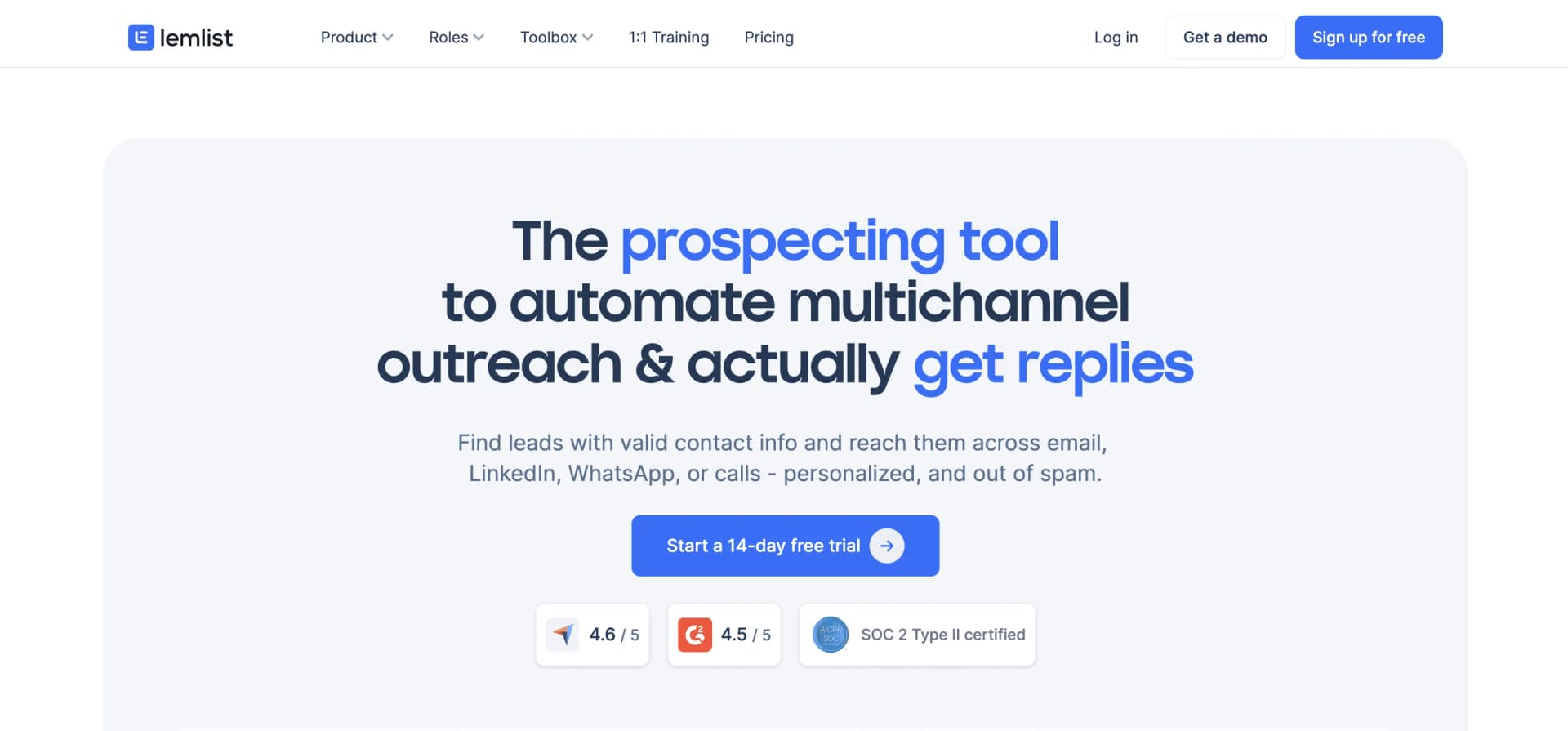
Lemlist started as a cold email tool and it shows - in a good way. If email is your primary channel and LinkedIn is supplementary, Lemlist is the best choice.
The email deliverability is best in class. Built-in warmup, custom tracking domains, and a sending infrastructure that consistently lands in primary inboxes.
What Lemlist Does Well
Lemlist's strengths are rooted in its email DNA:
- Best email deliverability with built-in warmup and custom tracking domains
- True multichannel: email, LinkedIn, phone calls in one sequence
- AI-powered personalization for email copy at scale
- 450M+ lead database for prospecting without external tools
Pricing
| Plan | Monthly | Annual |
|---|---|---|
| $69/mo | $55/mo | |
| Multichannel | $109/user/mo | $87/user/mo |
| Buying intent signals (add-on) | $29/mo | $21/mo |
| Enterprise | Custom | Custom |
Who Should Use Lemlist
Sales teams and founders who rely primarily on cold email but want to add LinkedIn touchpoints to their sequences.
Pros:
- Best email deliverability of any outreach tool
- True multichannel: email, LinkedIn, and phone in one sequence
- 650M+ lead database built in - no need for external prospecting tools
- AI-powered personalization that actually improves reply rates
Cons:
- LinkedIn is a secondary feature - less developed than dedicated LinkedIn tools
- Expensive to access LinkedIn (Multichannel minimum, $87/user/mo on annual billing)
- LinkedIn automation is less sophisticated than ReactIn or Expandi
- Can feel overwhelming with too many features for simple use cases
Best for: Email-first teams who want to add LinkedIn as a supplementary channel without switching to a LinkedIn-native tool.
LinkedIn Automation Tools 2026: Full Feature Comparison & Reviews
Here’s the complete linkedin automation tools comparison for 2026. These reviews are based on real-world testing, not feature checklists:
| Feature | ReactIn | Expandi | Dripify | Waalaxy | HeyReach | Lemlist |
|---|---|---|---|---|---|---|
| Starting Price | $29/mo | $99/mo | $39/mo | €19/mo | $79/mo | $55/mo |
| Cloud-Based | Yes | Yes | Yes | Yes (since July 2026) | Yes | Yes |
| Email Integration | No | No | No | Yes | No | Yes |
| Intent Signals | Yes | Partial (3 signals) | No | No | No | Paid add-on |
| Agency Plan | $20/acct | Custom (10+ seats) | No | No | $40/acct | No |
| Free Trial | 7 days | 7 days | 7 days | 14 days | 14 days | 14 days |
LinkedIn Automation Tools Pricing 2026: Cheapest, Free and Under $20
Every review above lists a price, but the question most people search is simpler: what is the cheapest LinkedIn automation tool that actually works? Here is the full LinkedIn automation pricing comparison for 2026, entry price first.
| Tool | Free plan | Cheapest paid plan | Monthly (no commitment) | What the entry plan gets you |
|---|---|---|---|---|
| ReactIn | No (7-day trial) | $29/mo (Basic) | $29/mo | Signals, SmartLists and enrichment, no outreach. Invitations and DMs start on Growth ($69/mo). |
| Expandi | No (7-day trial) | $79/account (annual) | $99/account | Every feature included, dedicated IP, cloud execution, A/B testing. |
| Dripify | No (7-day trial) | $39/mo (annual) | $59/mo | 1 campaign on Basic, cloud execution, smart inbox from Pro. |
| Waalaxy | No (14-day trial) | €19/mo (Pro, yearly) | About double (yearly is -50%) | 300 invites/month. Email sequences on Business. The inbox is a paid add-on on every plan. |
| HeyReach | No (14-day trial) | $79/mo (Growth) | $79/mo | 1 sender account, unified inbox, API, 100 enrichment credits. |
| Lemlist | No (14-day trial) | $55/mo (Email, annual) | $69/mo | Email only. LinkedIn actions require Multichannel at $109/user/mo ($87 annual). |
What Is the Cheapest LinkedIn Automation Tool in 2026?
Waalaxy, at €19 per user per month on yearly billing, is the cheapest tool here that does real LinkedIn automation on a single seat, and it has run in the cloud since July 2026. Dripify follows at $39/month on annual billing, with cloud execution, a visual sequence builder and campaign analytics. ReactIn's Basic plan is $29/month but covers signals and enrichment only, with no outreach - invitations and DMs start on the $69/month Growth plan. Lemlist's entry plan, Email at $55/month on annual billing, is not a LinkedIn tool at all: LinkedIn actions require the Multichannel plan at $87/user/month on annual billing. Read the entry plan, not the entry price.
Best Free LinkedIn Automation Tools in 2026
There is no genuine free plan left among the tools we tested, only free trials. If a roundup tells you otherwise, it is counting trials as free tools, or quoting Waalaxy's old free plan.
- Waalaxy - 14-day free trial: on every plan. Its pricing page no longer lists a free plan, so the trial is how you find out whether automation fits your motion at all.
- Free trials: ReactIn (7 days), HeyReach and Lemlist (14 days), Expandi and Dripify (7 days). Full features, then you pay.
- Free Chrome extensions: plenty exist, and they are the single biggest cause of restricted accounts. Free costs a lot more when the account you lose is the one you sell from.
Is There LinkedIn Automation Under $20 a Month?
On a single seat, only just. The floor is Waalaxy's Pro plan at €19 per user per month on yearly billing, then $29/month for ReactIn Basic (signals, no outreach) and $39/month for Dripify on annual billing. The other way under $20 is per-seat agency pricing, where ReactIn's Agency plan works out at roughly $20 per sender across 50 senders. If your budget is genuinely under $20 for one seat, start with Waalaxy's 14-day trial and commit to a yearly plan only when the replies justify it.
Does LinkedIn Automation Actually Improve Reply Rates?
Short answer: not on its own. Automation improves the parts of outreach humans are bad at repeating - sending the follow-up, sending it on time, stopping when someone answers. It does nothing for the two things that decide most of a reply rate: who you contact and what you say. Point the same tool at a cold imported list and at people who just engaged with your content, and you get two very different numbers.
| Setup | Typical reply rate | What drives it |
|---|---|---|
| Generic template sent to a cold list | 5-10% | Volume. Identical copy sent to strangers, with the first name as the only personalization. |
| Intent-based sequence (ReactIn average) | 20-30% | Targeting. Leads who engaged with your content, your site or a competitor, contacted while the signal is fresh. |
| Best intent-based campaigns | 40-60% | Context. The message references the exact action that put the lead on the list. |
Where LinkedIn automation improves reply rates
In three places, and all three are about consistency. The follow-up: a sequence always sends the second and third message, which is exactly where a manual process drops off. The timing: a welcome message goes out 1 to 4 hours after acceptance, while the new connection still remembers who you are. The stop: every tool on this list pauses the sequence the moment a prospect replies, so nobody gets a bot message after answering.
Where it lowers them
Automation hurts when it scales a bad message. Hundreds of identical requests drag your acceptance rate down, and a request nobody accepts never gets a reply - short notes of 120 to 180 characters also beat notes that fill the full LinkedIn connection request character limit. The same goes for sequences: adding touches to the wrong list only adds ignored messages, which is the gap our comparison of Waalaxy's multi-touch sequences with intent-triggered campaigns walks through.
To know whether automation is improving your own reply rate, run the test honestly: same ICP, same offer, two weeks, one campaign on a static list and one on intent signals. Then compare cost per reply, not messages sent.
LinkedIn DM Automation & Inbox Management: Which Tools Do It Best?
One of the most searched questions about LinkedIn automation is how to handle direct messages at scale. Sending connection requests is only half the battle - the real value comes from managing conversations, auto-replying to new connections, and keeping your inbox organized.
The best LinkedIn automation tools in 2026 include inbox management, auto-reply features, and conversation tracking - but the quality varies dramatically between tools.
DM & Inbox Features Compared
Here's how each tool handles LinkedIn DMs, auto-messaging, and inbox management:
| Tool | Smart Inbox | Auto-Reply | DM Sequences |
|---|---|---|---|
| ReactIn | Yes (Growth+) | Yes, trigger-based | Multi-step with delays |
| Expandi | Yes | Yes, conditional | Multi-step with A/B testing |
| Dripify | Yes (Pro+) | Basic | Linear sequences only |
| Waalaxy | Extra cost | Limited | LinkedIn + email combined |
| HeyReach | Yes (unified) | Yes, multi-account | Multi-step per account |
| Lemlist | Email-focused | Email only | Multichannel sequences |
Best Practices for LinkedIn Auto-Messaging
Automating LinkedIn DMs can backfire if done poorly. Here are the practices that separate high-performing campaigns from spam:
- Personalize the first message: Use the prospect's name, company, or a recent post they shared. Generic "Hi, I'd like to connect" messages get ignored.
- Set smart delays between messages: Wait 24-72 hours between follow-ups. Sending 3 messages in one day looks robotic and triggers LinkedIn's spam detection.
- Stop the sequence on reply: Every tool on this list can detect when a prospect replies and pause the automated sequence. Make sure this is enabled - nothing kills credibility faster than a bot message after someone already responded.
LinkedIn Welcome Messages & Follow-Up Sequences: Automation Guide
Automated welcome messages after someone accepts your connection request are one of the highest-ROI automation features available. The first 24 hours after a connection is accepted is when engagement is highest - a well-timed welcome message can start a conversation naturally.
LinkedIn drip campaigns (multi-step follow-up sequences) take this further by nurturing new connections over days or weeks with a series of value-driven messages.
How to Set Up a LinkedIn Welcome Message Sequence
Here's the proven 4-step sequence that works across all tools on this list:
Welcome message (sent 1-4 hours after acceptance)
Thank them for connecting. Reference something specific - their role, a shared connection, or content they posted. Keep it under 300 characters. No pitch.
Value message (sent 2-3 days later)
Share something genuinely useful - an article, case study, or insight relevant to their industry. Position yourself as a resource, not a seller.
Soft engagement (sent 5-7 days later)
Ask a question related to their work or challenges. This creates a natural conversation opener. Something like: "I noticed you're scaling [X] - how are you handling [Y]?"
CTA message (sent 10-14 days later)
Only now introduce your offer or request a call. By this point, you've provided value and context. The conversion rate on this message is 3-5x higher than pitching immediately.
Welcome Message & Drip Campaign Support by Tool
Not all tools handle post-connection messaging the same way. Here's the breakdown:
| Tool | Auto Welcome Message | Drip Campaigns | Max Sequence Steps |
|---|---|---|---|
| ReactIn | Yes, intent-triggered | Yes | Unlimited |
| Expandi | Yes, on acceptance | Yes | Unlimited |
| Dripify | Yes, on acceptance | Yes | Up to 10 |
| Waalaxy | Yes, template-based | Yes (LinkedIn + email) | Up to 8 |
| HeyReach | Yes, per sender | Yes | Unlimited |
| Lemlist | Yes (Multichannel plan) | Yes (email-focused) | Unlimited |
LinkedIn Automation Tool Comparisons: Head-to-Head
Choosing between specific tools? Here are the most popular head-to-head comparisons based on what users are searching for in 2026.
Quick Comparison Matrix
Here's how the most frequently compared tools stack up on key criteria:
| Matchup | Winner & Why | Best For |
|---|---|---|
| PhantomBuster vs Expandi | Expandi - dedicated LinkedIn focus, better safety features, no coding needed | Expandi for LinkedIn-only; PhantomBuster for multi-platform scraping |
| Dux-Soup vs LinkedIn Helper | Neither in 2026 - both are Chrome extensions with higher ban risk | Switch to a cloud-based tool like Dripify or ReactIn instead |
| Waalaxy vs Expandi | Depends on priorities: Waalaxy for multichannel + low cost, Expandi for safety + volume | Waalaxy for beginners, Expandi for established teams |
| Octopus CRM vs Dripify | Dripify - cloud-based execution, better UI, more active development | Dripify for teams needing modern UX and cloud safety |
| ReactIn vs Expandi | ReactIn for reply rates (20-60%); Expandi for raw volume and mature safety features | ReactIn for quality outreach, Expandi for high-volume prospecting |
PhantomBuster vs Expandi: Which Should You Choose?
PhantomBuster is a general-purpose scraping and automation platform that supports LinkedIn, Twitter, Instagram, and more. Expandi is a dedicated LinkedIn automation tool. If LinkedIn is your primary channel, Expandi wins on safety (dedicated IP, smart warmup) and ease of use (no coding required). PhantomBuster is better if you need cross-platform data extraction or custom scraping workflows - but it requires technical setup and has a steeper learning curve. For pure LinkedIn outreach automation, Expandi (or ReactIn for intent-based approaches) is the better choice in 2026.
Dux-Soup vs LinkedIn Helper: Are Chrome Extensions Still Safe?
Both Dux-Soup and LinkedIn Helper are Chrome extensions, and in 2026, we no longer recommend either for serious outreach. LinkedIn has significantly improved its ability to detect browser-injected scripts, and both tools carry a meaningfully higher ban risk than cloud-based alternatives. Dux-Soup offers more features and better support, but the fundamental safety issue remains. If you're currently using either tool, consider migrating to a cloud-based solution like Dripify (similar price point) or ReactIn (better results through intent-based targeting).
Waalaxy Alternative: What to Use Instead
If you're looking for a Waalaxy alternative in 2026, the best option depends on what you don't like about Waalaxy. If safety was your concern, note that Waalaxy has run fully in the cloud since July 2026, like ReactIn and Expandi. If pricing is the issue, Dripify offers similar features starting at $39/month. If you want better LinkedIn automation specifically (not multichannel), ReactIn's intent-based approach will outperform Waalaxy's template-driven sequences on reply rates. If you need agency features, HeyReach offers sender rotation that Waalaxy lacks entirely.
Octopus CRM vs Dripify: Budget Tool Showdown
Octopus CRM and Dripify target the same budget-conscious segment, but Dripify has pulled ahead in 2026. Dripify runs in the cloud (Octopus CRM is a Chrome extension), has a more modern UI, offers team management features, and receives more frequent updates. Octopus CRM is slightly cheaper ($9.99/month starting), but the Chrome extension approach carries safety risks that make the savings questionable. If budget is your primary concern, Dripify at $39/month (annual) offers the best balance of affordability and safety.
Top 10 LinkedIn Automation Tools 2026: The 4 That Didn't Make the Top 6
Most “top 10 LinkedIn automation tools” lists pad the count with tools nobody should start with in 2026. We looked at these four and left them out on purpose - here is why.
| Tool | Type | Why it is not in our top 6 |
|---|---|---|
| PhantomBuster | Cloud scraping platform | Excellent for multi-platform data extraction, but it is not built as a LinkedIn outreach sequencer and has no safety layer designed for sustained sending. |
| Dux-Soup | Chrome extension | One of the oldest tools on the market, but browser-injected automation carries a ban risk we no longer accept in 2026. |
| LinkedIn Helper | Desktop application | Powerful and cheap, with a steep learning curve and local execution that ties every action to your own machine and IP address. |
| Octopus CRM | Chrome extension | The cheapest option in the category ($9.99/mo) and it shows: extension-based, thin analytics, slow development. |
Add these four to the six reviewed above and you have an honest top 10 for 2026. Only six of them are worth the LinkedIn account you would be risking.
Best AI LinkedIn Automation Tools and AI SDRs in 2026
“AI SDR” became the category name of 2026, and it now overlaps heavily with LinkedIn automation searches. The two are not the same product, and picking the wrong one costs you a quarter.
AI SDR vs LinkedIn Automation Tool: What's the Difference?
A LinkedIn automation tool executes a sequence you designed. An AI SDR decides what the sequence should be. The practical difference:
| Dimension | LinkedIn automation tool | AI SDR |
|---|---|---|
| Who picks the targets | You, from a list or an intent signal you define | The model, from an ICP description |
| Who writes the copy | You, with variables and templates | The model, per prospect |
| What you control | Every step, delay and message | The prompt and the guardrails |
| Typical cost | $29-$99/month per seat | Several hundred to a few thousand dollars per month |
| Where it breaks | Bad targeting produces bad replies | Plausible copy sent to the wrong people, at scale |
If you know your ICP better than a model does - usually true in B2B - a LinkedIn automation tool with intent signals beats an AI SDR at a fraction of the price. If you have no list, no signal and no copy, an AI SDR gets you moving faster.
Best AI Tools for LinkedIn Outreach in 2026
None of the six tools reviewed here is an autonomous AI SDR. Each uses AI for a specific job:
- Lemlist: AI-generated email copy and sequence drafts, plus a 650M+ contact database. The closest thing to an AI SDR on this list.
- ReactIn: no generative AI SDR, but the targeting layer does the job an AI SDR claims to do - SmartLists surface people who already showed intent, so your copy has something true to reference.
- Expandi: A/B testing on messages and connection notes to find the variant that performs. You still write the variants.
- Waalaxy and Dripify: AI message assistants layered on template builders. Useful for a first draft, not a substitute for knowing your market.
Best AI SDR for LinkedIn and Email Together
For LinkedIn plus email in one sequence with AI-written copy, Lemlist is the practical answer among the tools we tested: multichannel sequences, best-in-class deliverability and AI personalisation, from $87/user/month on the Multichannel plan, billed annually. Pairing a LinkedIn-native tool with a dedicated email tool costs about the same and gives you better LinkedIn automation - the right call if LinkedIn is where your pipeline comes from.
Fully autonomous AI SDRs sit in a different price bracket entirely. We break that category down in our guide to the best AI sales tools for 2026.
Best LinkedIn Automation Tools 2026: Which Ones Are Safe?
All six tools on this list now run in the cloud, so in 2026 the question is no longer whether the best LinkedIn automation tools are safe, but which ones stay safe with the least effort on your side. Short answer: ReactIn and Expandi are safe out of the box, HeyReach is safe once your proxies are set up properly, and Dripify, Lemlist and Waalaxy are safe at modest volume but give you fewer account-level controls.
Every tool here comes with a 7- to 14-day free trial. Use it to run these five checks before you connect your main LinkedIn account:
- Close your laptop: the campaign should keep running. If it stops, the tool runs in your browser, and browser-based automation is the leading cause of restricted accounts.
- Ask which IP it sends from: you want a dedicated IP in the country your account normally logs in from. A shared IP, or one on another continent, is a red flag.
- Connect a fresh account: the tool should ramp volume on its own over 2 to 3 weeks, starting at 10 to 15 requests a day, instead of letting you jump to 100 on day one.
- Look for per-action limits: connection requests, profile views and messages each need their own daily cap. One global action counter is not enough.
- Find the acceptance rate: per campaign, visible without exporting anything. Below 30%, LinkedIn starts throttling the account, and you want to see the drop before LinkedIn does.
A tool that passes all five keeps your account safe as long as your targeting stays warm. The ranking by ban risk below shows how each of the six scores.
Safest LinkedIn Automation Tools 2026: Is LinkedIn Automation Safe?
Account safety is the number one concern when choosing a LinkedIn automation tool - and for good reason. LinkedIn has increasingly sophisticated detection mechanisms, and getting your account restricted can set your outreach back weeks or months.
The good news: with the right tool and practices, LinkedIn automation is safe in 2026. Here's what you need to know to protect your account while automating your outreach.
Safest LinkedIn Automation Tools 2026, Ranked by Ban Risk
Safety is the single most searched qualifier on this topic, and it comes down to three things: where the tool runs, which IP it sends from, and whether it ramps your volume for you. Here is how the six tools rank on ban risk, safest first.
| Rank | Tool | Where it runs | Ban risk | Why |
|---|---|---|---|---|
| 1 | ReactIn | Cloud, dedicated IP | Low | Cloud execution with randomised delays, plus intent targeting that keeps acceptance rates high - the metric LinkedIn actually throttles on. |
| 2 | Expandi | Cloud, dedicated IP | Low | The longest safety track record here: dedicated IP, smart warm-up and human-like delays since 2019. |
| 3 | HeyReach | Cloud, per-sender IPs | Low to medium | Cloud-based and built for many accounts, but you bring your own proxies at scale, so safety depends on your proxy setup. |
| 4 | Dripify | Cloud | Medium | Cloud execution and per-campaign daily limits, but fewer account-level safety controls than Expandi or ReactIn. |
| 5 | Lemlist | Cloud | Medium | Excellent on email. Its LinkedIn layer is thinner than the LinkedIn-native tools and gives you fewer volume controls. |
| 6 | Waalaxy | Cloud (since July 2026) | Medium | Moved from a Chrome extension to the cloud in July 2026, so its cloud safety record is still short. |
One caveat that matters more than the ranking: no tool is safe if you use it badly. A cloud tool firing 100 identical requests a day at strangers will get an account restricted faster than a Chrome extension sending 15 personalised requests to people who just viewed your profile.
Safety Feature Comparison: Cloud vs Chrome Extension
| Safety Feature | Cloud-Based Tools | Chrome Extensions |
|---|---|---|
| IP Address | Server-side IP, dedicated on some tools (e.g. Expandi) | Your personal IP (easily flagged) |
| Detection Risk | Low - mimics real browser session | High - LinkedIn detects injected scripts |
| Activity Patterns | Human-like with randomized delays | Often too fast or predictable |
| Runs When | 24/7, even when your computer is off | Only when browser is open |
LinkedIn's Automation Policy in 2026: What Is Actually Allowed
LinkedIn's User Agreement and Professional Community Policies prohibit software that automates activity on the platform, and nothing loosened in 2026. There is no whitelist, no approved-vendor programme and no such thing as a LinkedIn-approved automation tool - any vendor claiming otherwise is selling you a story.
What has changed is enforcement. Detection now leans on behavioural signals - request velocity, acceptance rate, message similarity, session fingerprints - rather than only on the presence of a script. That is why a cloud tool sending 20 personalised requests a day to warm prospects survives, and a browser extension firing 80 identical requests at strangers does not. Automation is against the terms; looking indistinguishable from a human user is what keeps accounts alive.
6 Best Practices to Avoid LinkedIn Bans in 2026
Follow these rules regardless of which tool you use:
- Use a cloud-based tool: Chrome extensions are the number one cause of LinkedIn account restrictions. Cloud-based tools like ReactIn, Expandi, and HeyReach run server-side and mimic real browser sessions.
- Start with a warmup period: Don't jump from 0 to 100 connection requests on day one. Start at 10-15 per day and increase by 5-10 each week over 2-3 weeks. Our 4-week LinkedIn account warm-up plan details each week, from profile set-up to the first automated campaigns.
- Respect daily limits: For established accounts: max 20-30 connection requests, 50-80 profile views, and 30-50 messages per day. Never exceed 100 connection requests per day.
- Personalize your messages: Identical messages sent to hundreds of people trigger spam detection. Use variables (name, company, role) and vary your templates.
- Monitor your SSI score: LinkedIn's Social Selling Index affects your limits. Accounts with higher SSI scores (above 50) get more leeway with automation.
- Keep your acceptance rate above 30%: If fewer than 30% of your connection requests are accepted, LinkedIn will throttle your account. Target warm leads (people who visited your profile, engaged with your content) to keep this rate high.
Warning Signs Your Account Is at Risk
Watch for these red flags that indicate LinkedIn may restrict your account:
- Your connection request acceptance rate drops below 20%
- You receive a "suspicious activity" warning email from LinkedIn
- Your daily connection request limit is suddenly reduced (from 100 to 25, for example)
- LinkedIn asks you to verify your identity or solve CAPTCHAs frequently
Best LinkedIn Automation Tool by Team Type
The same tool ranks differently depending on who runs it. Here is the pick for each kind of team, chosen on the constraint that actually binds - budget, headcount or number of LinkedIn accounts.
| Team | Best tool | Why |
|---|---|---|
| Solo founder | ReactIn Basic ($29/mo) | Small warm audiences beat cold volume when you only have a few hours a week to spend on outreach. Basic finds them, Growth ($69) automates the outreach. |
| Individual SDR | Expandi ($99/mo) | Proven safety at volume, every feature in one plan, no upsells to budget for. |
| B2B sales team (5-20 reps) | ReactIn Growth ($69/seat) | DM sequences plus a shared intent layer, with a per-seat cost that stays predictable as the team grows. |
| Enterprise sales team | Expandi or HeyReach | Account-level controls, dedicated IPs and centralised reporting matter more than the monthly price. |
| Lead gen agency (10+ accounts) | HeyReach or ReactIn Agency | Sender rotation and a unified inbox. ReactIn Agency works out at ~$20/sender against ~$40 on HeyReach Agency. |
| Growth marketer / marketing ops | ReactIn | Signals from your content, your website and your competitors feed the lists automatically instead of being rebuilt by hand each month. |
| Freelancer on a tight budget | Waalaxy (€19/mo, yearly) or Dripify ($39/mo) | The cheapest way to run real sequences. Start on the 14-day trial, commit when the replies justify it. |
How to Choose the Best LinkedIn Outreach Automation Tool
Here's the decision framework I use when recommending the best linkedin outreach automation tools in 2025 and 2026:
- You want the highest reply rates → ReactIn. Intent-based outreach consistently outperforms cold outreach by 3-5x.
- You need proven safety at volume → Expandi. The most established safety features and track record.
- You're on a tight budget → Dripify. Best value at $39/mo with solid core features.
- You want LinkedIn + email in one tool → Waalaxy. The simplest multichannel setup with a 14-day free trial to start.
- You run an agency with 10+ accounts → HeyReach. Built for scale with sender rotation and unified inbox.
- Email is your primary channel → Lemlist. Best email deliverability with LinkedIn as a bonus channel.
For a complete strategy on how to use LinkedIn automation effectively, check out our complete LinkedIn automation playbook for 2026.
For the full LinkedIn tool stack breakdown, read our Best LinkedIn Tools guide for 2026.
Frequently Asked Questions
Sources & Further Reading
- Before choosing any automation tool, review LinkedIn's Professional Community Policies to understand what types of automated behavior are permitted on the platform.
- For independent reviews and user ratings of these tools, G2's LinkedIn automation software category provides verified peer reviews from real users across hundreds of companies.
- LinkedIn also publishes guidelines for keeping your account safe, which every user should read before running any form of automated outreach.
Related Articles

Automated LinkedIn Messages: How to Send Them Without Getting Restricted (2026)
LinkedIn ships no automated messaging at all. Here are the three things people call an automated LinkedIn message, how to set one up, what the terms actually say, and the three cases where writing by hand wins.
Best LinkedIn Automation Tool for Agencies in 2026 (Ranked by Total Cost, Not Feature Lists)
The 7 best LinkedIn automation tools for agencies in 2026, ranked by true cost at scale. ReactIn replaces 3-4 tools ($69/mo vs $300+/mo stack) with intent signals, AI enrichment, and unified inbox. Full "True Cost for 10 Accounts" comparison included.

How to Balance LinkedIn Campaign Volume Across Tools (Waalaxy, HeyReach, Expandi, Dripify, LGM, PhantomBuster, Gojiberry vs ReactIn)
Most LinkedIn automation tools force you to pick: one big cold campaign, or none. Here is how Waalaxy, HeyReach, Expandi, Dripify, LGM, PhantomBuster and Gojiberry actually let you split daily volume between campaigns - and how ReactIn’s new Campaign Ponderation finally lets you run a 90/5/5 mix of cold + signal-based outreach.
How to Automate LinkedIn Connection Requests (Auto Connect) Safely in 2026
Automate invitations on LinkedIn without getting restricted: 2026 daily limits by plan, the 300-character note, acceptance rates by approach, and a 5-step ReactIn setup.